Just Sold Facebook Ads: Turn Closings Into Listings
Examples, copy, and setup for turning a recent closing into new seller conversations nearby.
Quick answer
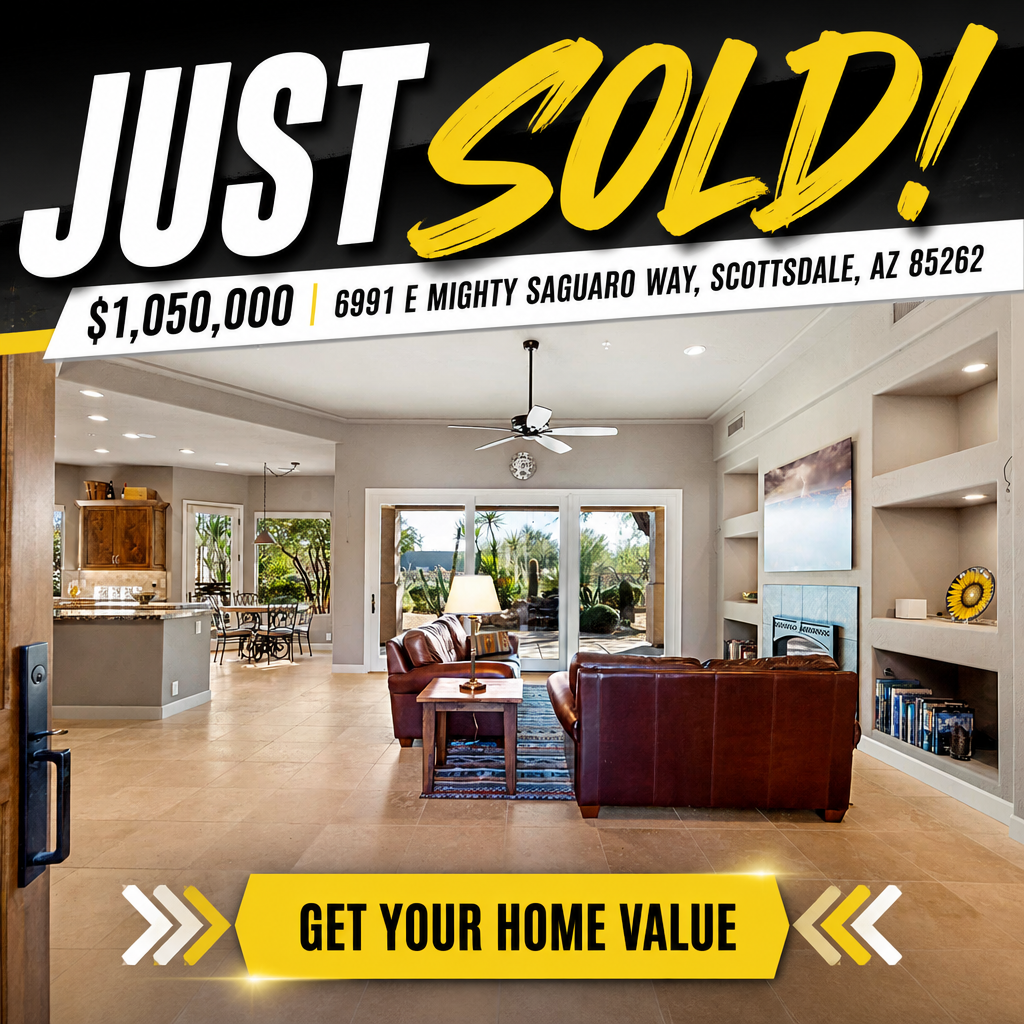
A just sold Facebook ad tells homeowners near a recent closing that a nearby home sold, then invites them to find out what their own home is worth. It runs under Meta's Housing Special Ad Category, so targeting is radius-based (minimum 15 miles, no ZIP targeting, no age or gender targeting). Pair a simple creative built around the sold property with a home value call to action, and run it for about a week after closing while the sale is still timely.
A closed transaction is still a marketing asset after the sale is final. Just sold marketing uses that result to start conversations with homeowners nearby who may be thinking about their own home's value and whether to sell.
Why Just Sold Ads Start Seller Conversations
Homeowners pay attention to sales near their own home. Seeing a nearby property sell gets them thinking about what their home could be worth today. A just sold ad puts you in front of them at that moment with a direct next step: find out what your home is worth.
What a just sold ad communicates:
- A home nearby recently sold
- You were the agent behind the transaction
- Rising home values in the area may be worth a second look
- There is an easy way to find out what their home is worth
Housing Special Ad Category Targeting
Just sold ads run under Meta's Housing Special Ad Category on Facebook and Instagram. Targeting is geographic only: a minimum 15-mile radius, no ZIP code targeting, and no age or gender targeting. Lookalike Audiences are not available for housing ads and Special Ad Audiences were discontinued in 2022. Custom Audiences built from your own contact list, past clients, or people who engaged with your page can still be layered in alongside Meta's Advantage+ and broad delivery tools.
Budget Approach
Set a daily budget you are comfortable running for about a week after closing, while the sale is still timely to mention. Review delivery and any home value requests daily, and extend the run if the ad is still generating engagement.
Building a Listing Flywheel
Just sold marketing works best as a habit, not a one-off. Each closing becomes an ad, each ad reaches homeowners nearby, and some of those homeowners become your next listing conversation. Agents who market every closing consistently build more visibility in a neighborhood than those who only market the standout sales.
The listing flywheel in practice:
- 1Close a transaction
- 2Launch a just sold ad targeting the area around the property
- 3Send a just sold note to your sphere
- 4Follow up on any home value requests the ad generates
- 5Repeat with the next closing
| Placement | Ratio | Size | Notes |
|---|---|---|---|
| Feed (Facebook & Instagram) | 1:1 or 4:5 | 1080x1080 or 1080x1350 px | A single clean image of the property with a "Just Sold" label reads well in feed. |
| Stories & Reels | 9:16 | 1080x1920 px | Keep the "Just Sold" message and home value CTA in the safe zone. |
| Carousel | 1:1 per card | 1080x1080 px per card | Optional: pair the sold property photo with a second card inviting a home value request. |
Variant A: Direct announcement
Illustrative exampleJust Sold Near You
This home nearby just sold. Home values in the area continue to change. Curious what your home could be worth today?
Find out what your home is worth.
Variant B: Neighborhood-focused
Illustrative exampleAnother Home Sold in the Area
Homes in this neighborhood keep finding buyers. If you have been wondering about your own home's value, now is a good time to check.
Get your free home value estimate.
Variant C: Low-key update
Illustrative exampleRecently Sold
A quick update: this property recently closed. If a move has crossed your mind, finding out your home's current value is a good place to start.
See what your home is worth.
How to launch this in Walled Garden
- 1Paste the sold listing URL into Walled Garden, or enter the property details manually.
- 2Choose a just sold template in Creative Studio and add the property photo and copy.
- 3Review the targeting radius around the property (minimum 15 miles, no ZIP targeting under Special Ad Category).
- 4Approve the daily spend; media spend is paid directly to Meta.
- 5Launch the campaign and follow up on any home value requests it generates.
Frequently Asked Questions
When should I run a just sold Facebook ad?
Launch it within a few days of closing while the sale is still recent and relevant to homeowners nearby.
How do just sold ads generate new listing leads?
They prompt homeowners near the sold property to think about their own home's value. The call to action is typically a free home value estimate, which captures interest from people who may be considering a move.
What targeting is allowed for just sold ads?
Just sold ads run under Meta's Housing Special Ad Category, so targeting is geographic: a minimum 15-mile radius with no ZIP code, age, or gender targeting. Custom Audiences from your own contact lists can be added alongside Meta's broad delivery and Advantage+ tools.
Should I mention the sale price in a just sold ad?
That is a judgment call for you and your seller. Some agents include it because it builds credibility with homeowners curious about local values; others keep the ad focused on the home value call to action instead.
Continue Reading
Just Listed Facebook Ads: Examples, Copy and Setup (2026)
See just listed Facebook ad examples, copy you can adapt, creative specs for every placement, and how to launch a compliant just listed campaign.
StrategyThe Ultimate Listing Marketing Checklist for Real Estate Agents
Download the complete listing marketing checklist used by top-producing agents. 30+ action items covering photography, Facebook ads, open houses, email marketing, and more.
Ad CreativeListing Ad Examples That Actually Generate Leads
See real listing ad examples from top-producing real estate agents. Includes Facebook ad copy, creative formats, and performance benchmarks for just-listed, open house, and luxury listing ads.
Tools & SoftwareBest Listing Marketing Tools for Real Estate Agents in 2026
Compare the best listing marketing tools for real estate agents. From Facebook ad platforms to virtual staging, these tools help agents market listings faster and generate more buyer leads.